
If your CRM will hold patient information, it has to be HIPAA-compliant — and most CRMs are not, out of the box. That is the part buyers most often get wrong: they assume a popular CRM is “HIPAA-compliant” because it is widely used or because a sales rep said so, when in reality HIPAA compliance for a CRM is about how it is configured, governed, and contracted, not a label on the box. Some CRMs can be made compliant with the right edition, configuration, and a signed agreement; some vendors will not handle PHI at all. This guide explains what actually makes a CRM HIPAA-compliant and the specific things to look for before you put a single patient record into one.
A scope note: this is an educational overview, not legal advice. HIPAA compliance involves legal and organizational determinations that rest with your compliance team and counsel; we cover the technical and practical side and flag where the legal boundary is.
The Core Truth: No CRM Is “HIPAA-Compliant” by Default
There is no such thing as a CRM that is inherently, automatically HIPAA-compliant, any more than there is “HIPAA-certified” software. A CRM becomes HIPAA-compliant when it is configured with the right safeguards, used according to compliant practices, and covered by the right agreement — and it stays compliant only as long as those conditions hold. Out of the box, a general-purpose CRM is built for sales and marketing, not for protected health information, so its default configuration and default communication features are frequently not HIPAA-safe. The question to ask is never “is this CRM HIPAA-compliant?” but “can this CRM be configured and contracted to handle PHI compliantly, and will we operate it that way?”
The Non-Negotiable: A Business Associate Agreement
The first hard filter is the BAA. A CRM vendor that stores or processes PHI on your behalf is a business associate, and that requires a signed Business Associate Agreement. If a vendor will not sign a BAA, you cannot put PHI in their CRM — full stop. Some major CRM vendors will sign a BAA for specific editions or configurations and support HIPAA-eligible use; others explicitly state their product is not for PHI and will not sign one. Vendor policies on this change over time, so confirm the current position directly with the vendor rather than relying on assumptions or old information. We cover the BAA in depth in our Business Associate Agreements guide; for a CRM, no BAA means no PHI.
What to Look For: The Buyer’s Checklist
Assuming a BAA is available, here is what actually makes the CRM safe to use with PHI.
The Technical Safeguards
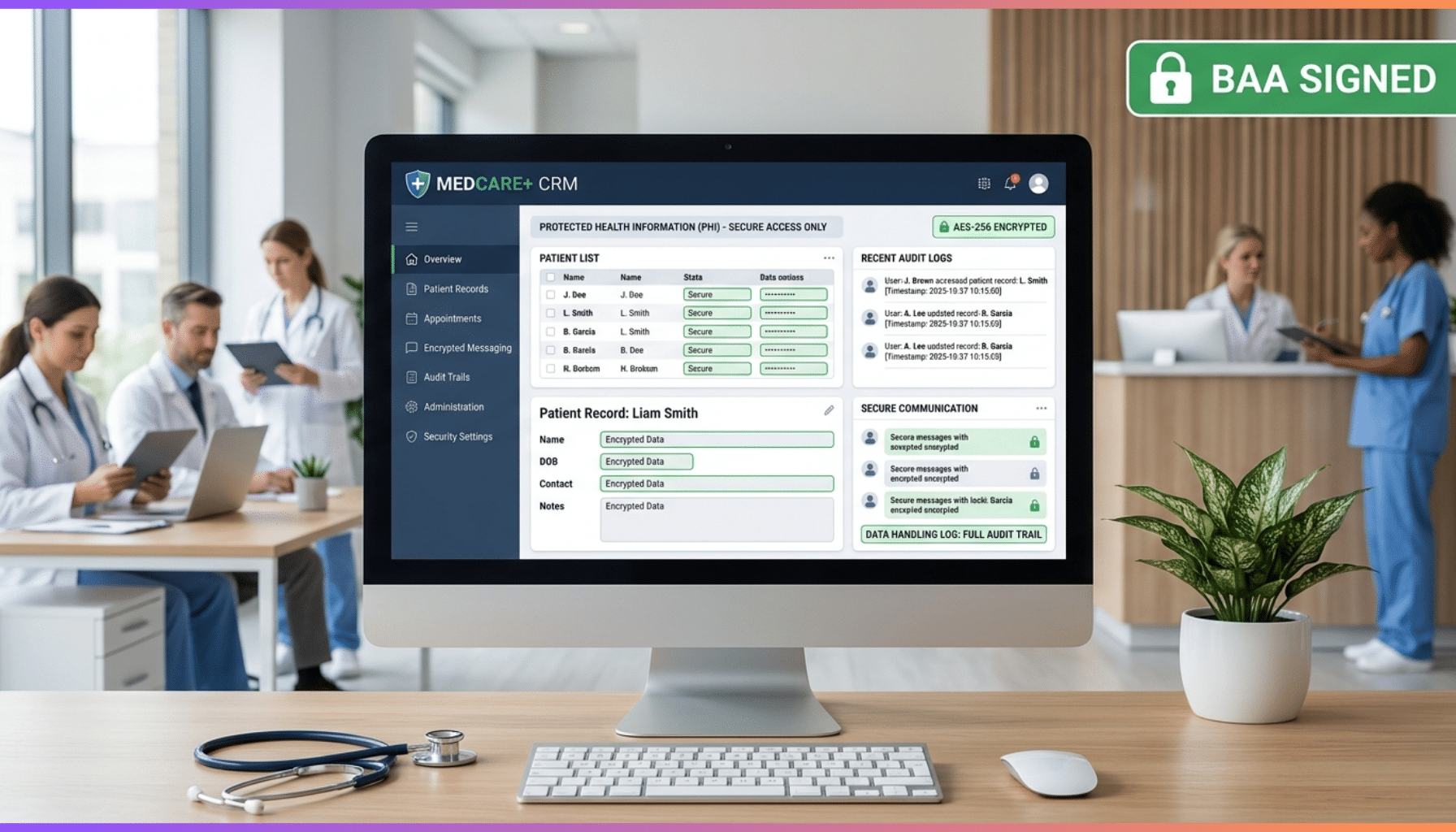
The CRM needs the HIPAA technical safeguards built in and configurable: role-based access control so only authorized users reach PHI, audit logging that records who accessed which records and when, encryption of data at rest and in transit, and strong authentication including multi-factor authentication. These mirror the HIPAA Security Rule’s technical safeguards — see our technical safeguards explainer — and a CRM that cannot enforce them is not a candidate for PHI.
Field-Level Security and Minimum Necessary
HIPAA’s minimum-necessary principle means users should see only the PHI they need. Look for field-level security and data segmentation so you can restrict sensitive fields to the right roles, rather than exposing all patient data to every user with CRM access. A CRM that only does coarse, all-or-nothing access control makes minimum-necessary hard to honor.
Secure Communications
This is a frequent trap. CRMs are full of communication features — email, SMS, automated messaging — and many of them are not HIPAA-safe by default, because they were built for marketing, not protected health information. Sending PHI through an unsecured CRM email or texting feature can be a violation. Look for genuinely secure, compliant communication channels, and treat every outbound channel as something to verify rather than assume.
Marketing and Automation Restrictions
Closely related and often missed: using PHI for marketing carries HIPAA restrictions, and certain marketing communications using PHI require patient authorization. CRMs are marketing-automation engines by nature, so it is easy to inadvertently use patient data for marketing in ways HIPAA limits. Understand these constraints before wiring PHI into CRM marketing automation, and involve your compliance team — this is exactly where a CRM’s natural capabilities and HIPAA’s rules collide.
Integration Security
Healthcare CRMs rarely stand alone; they integrate with EHRs and other systems that hold PHI. Those integrations must be secured — encrypted, authenticated, and built so PHI moves safely between the CRM and clinical systems. If you are connecting a CRM to an EHR via FHIR or HL7, the integration is part of your compliance surface; see our FHIR API development and HL7 integration practices.
Vendor Security Posture and Subprocessors
Finally, weigh the vendor’s own security maturity — recognized certifications such as ISO 27001 or SOC 2 are good signals — and remember that the BAA chain flows downstream. If the CRM vendor uses subprocessors (hosting, for example) that touch PHI, those need to be covered too. A vendor serious about healthcare will be transparent about its security posture and its subprocessors.
Commercial CRM, Healthcare CRM, or Custom?
There are a few paths to a HIPAA-compliant CRM. You can configure a major commercial CRM that offers a BAA and HIPAA-eligible configuration, accepting that it must be set up and governed carefully. You can adopt a healthcare-specific CRM built with healthcare and compliance in mind. Or you can build a custom healthcare CRM when your workflows, integrations, or differentiation needs are not well served by a packaged product. Each is valid; the right choice depends on your requirements, budget, and how specific your needs are — the same build-versus-buy logic that applies to any healthcare software. Our healthcare CRM practice covers configuring commercial platforms and building custom alike.
The Honest Boundaries
It is worth being clear about what compliance does and does not come from. Choosing a capable CRM and configuring its safeguards is necessary, but HIPAA compliance also depends on a signed BAA, compliant operating practices, and your broader compliance program — risk analysis, policies, training, and the rest. The CRM is one component, not the whole of compliance. And the legal determinations — whether your marketing use needs authorization, how to interpret a requirement — rest with your compliance team and counsel. A vendor or partner provides the technical implementation and configuration; they do not make your organization compliant by themselves, and anyone claiming a product is “HIPAA-compliant” in a way that removes your responsibility is misleading you.
A Practical Evaluation Approach
Confirm the BAA
Verify the vendor will sign a BAA for the edition and configuration you need; if not, the CRM is out for PHI.
Verify the Safeguards
Confirm role-based access control, audit logging, encryption at rest and in transit, and strong authentication are present and configurable.
Check Communications and Marketing Handling
Verify that any communication channels you will use are HIPAA-safe, and understand the restrictions on using PHI for marketing before enabling automation.
Assess Integration Security
Confirm that integrations to EHRs and other PHI systems can be built and secured properly.
Confirm Vendor and Subprocessor Posture
Check the vendor’s security certifications and that subprocessors touching PHI are covered by the BAA chain.
Plan Configuration and Governance
Plan how the CRM will be configured for HIPAA and governed over time, since default configuration and ongoing operation both matter.
How Taction Helps
We implement HIPAA-compliant CRMs — configuring commercial CRM platforms for compliant PHI handling, building custom healthcare CRMs where a packaged product does not fit, and securing the integrations between the CRM and EHRs or other clinical systems. We build in the technical safeguards (access control, audit logging, encryption, strong authentication), design field-level security for minimum-necessary, and help you navigate the communication and marketing pitfalls that catch teams off guard. With healthcare engineering depth, ISO 27001-certified security, and PHI handled under a signed BAA, we work alongside your compliance team and counsel, who own the legal determinations. Our healthcare CRM and HIPAA-compliant development practices, within our healthcare software work, cover the full scope.
Related reading: SugarCRM for Healthcare: An Implementation Guide · Business Associate Agreements: A Developer’s Guide
Frequently Asked Questions
Is there such a thing as a HIPAA-compliant CRM out of the box?
No. A CRM becomes HIPAA-compliant through the right configuration, compliant operating practices, and a signed BAA — not through a label. General-purpose CRMs are built for sales and marketing, so their defaults and communication features are often not HIPAA-safe. The question is whether a CRM can be configured and contracted to handle PHI compliantly, and whether you will operate it that way.
What’s the first thing to check?
Whether the vendor will sign a Business Associate Agreement for the edition and configuration you need. A vendor storing or processing PHI on your behalf is a business associate, and without a signed BAA you cannot put PHI in their CRM. Vendor policies change, so confirm the current position directly.
Is Salesforce (or another major CRM) HIPAA-compliant?
It depends on the edition, configuration, and a signed BAA — and vendor policies vary and change over time. Some major CRMs will sign a BAA and support HIPAA-eligible configurations; others explicitly will not handle PHI. Confirm the current terms with the vendor directly rather than relying on assumptions, and remember that even a BAA-eligible CRM still has to be configured and operated compliantly.
Can we use the CRM’s email and texting for patients?
Only if those channels are genuinely HIPAA-safe, which many CRM communication features are not by default, because they were built for marketing. Sending PHI through an unsecured CRM email or SMS feature can be a violation. Verify each outbound channel, and be especially careful using PHI for marketing, which carries HIPAA restrictions and may require authorization.
What safeguards should a HIPAA-compliant CRM have?
Role-based access control, audit logging, encryption at rest and in transit, and strong authentication including MFA — mirroring the HIPAA Security Rule’s technical safeguards — plus field-level security so users see only the PHI they need under the minimum-necessary principle. A CRM that cannot enforce these is not a candidate for PHI.
Should we configure a commercial CRM or build a custom one?
It depends on your needs. Configuring a BAA-eligible commercial CRM works when a packaged product fits; a healthcare-specific CRM is built with compliance in mind; and a custom build makes sense when your workflows, integrations, or differentiation are not well served by a product. The same build-versus-buy logic that applies to any healthcare software applies here.
Implementing or evaluating a HIPAA-compliant CRM? Schedule a free consultation →
This article is an educational overview, not legal advice. Reviewed by Taction Software’s healthcare engineering team. ISO 27001-certified information security management. HIPAA compliance involves legal and organizational determinations that rest with your compliance team and counsel; PHI is handled under a signed BAA.